

1、前言
2、Gateway API部署
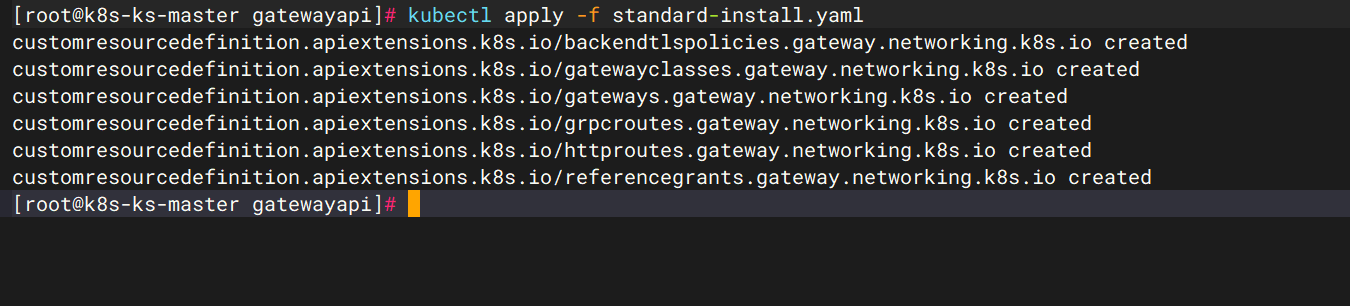
2.1 标准部署gateway api crds
2.2 部署 ngf crds
| 镜像 |
|---|
| ghcr.io/nginx/nginx-gateway-fabric:2.3.0 |
| ghcr.io/nginx/nginx-gateway-fabric/nginx:2.3.0 |
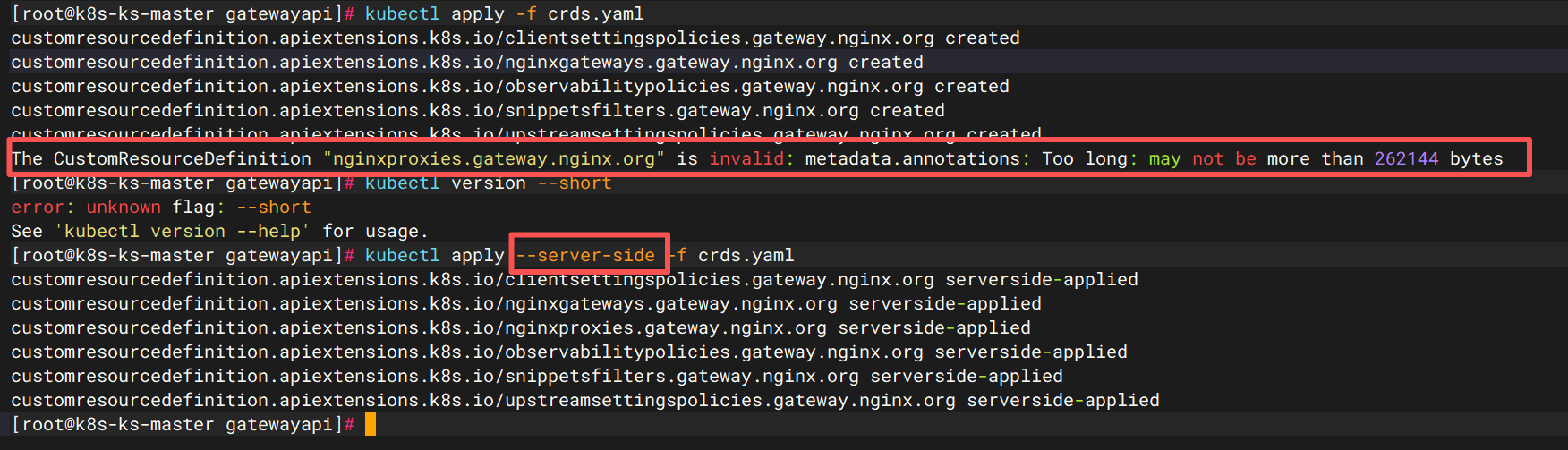
因crds较大,可以用server-side参数来规避报错
kubectl apply --server-side -f crds.yaml
2.3 部署ngf实例
deploy.yaml:ngf-deploy
#如果是仅做内部访问
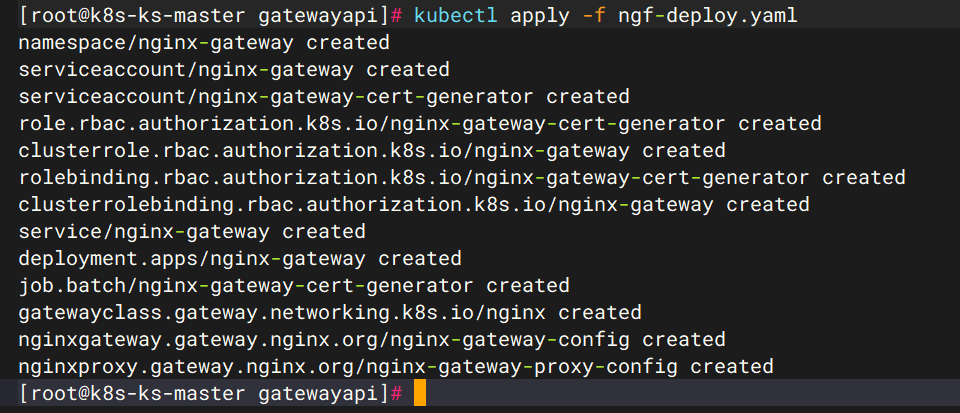
kubectl apply -f ngf-deploy.yaml

#我这里部署了带外部ip的
kubectl apply -f ngf-deploy.yaml
2.4 验证ngf情况
kubectl -n nginx-gateway get pod

创建了 1 个 gatewayclass 资源,引用 nginx-gateway-controller,且 gatewayclass 的名字叫 nginx
kubectl -n nginx-gateway get gatewayclass

查看svc
kubectl -n nginx-gateway get svc

3、部署演示deployment
3.1 创建一个命名空间
kubectl create ns ngf-gateway-demo
3.2 创建canary和prod两个deployment
3.2.1 canary
cat > dev_canary.yaml << EOF
apiVersion: apps/v1
kind: Deployment
metadata:
  name: dev-demo-canary
  namespace: ngf-gateway-demo
spec:
  replicas: 1
  selector:
    matchLabels:
      app: dev-demo-canary
  template:
    metadata:
      labels:
        app: dev-demo-canary
    spec:
      containers:
        - name: dev-demo-canary
          image: harbor.test.com/java-dev/demo:Canary
      restartPolicy: Always
      dnsPolicy: ClusterFirst
---
apiVersion: v1
kind: Service
metadata:
  name: dev-demo-canary
  namespace: ngf-gateway-demo
spec:
  selector:
    app: dev-demo-canary
  ports:
    - name: dev-demo-canary-8080
      protocol: TCP
      port: 8080
      targetPort: 8080
EOF
3.2.2 prod
cat > dev_prod.yaml << EOF
apiVersion: apps/v1
kind: Deployment
metadata:
  name: dev-demo-prod
  namespace: ngf-gateway-demo
spec:
  replicas: 1
  selector:
    matchLabels:
      app: dev-demo-prod
  template:
    metadata:
      labels:
        app: dev-demo-prod
    spec:
      containers:
        - name: dev-demo-prod
          image: harbor.test.com/java-dev/demo:Prod
      restartPolicy: Always
      dnsPolicy: ClusterFirst
---
apiVersion: v1
kind: Service
metadata:
  name: dev-demo-prod
  namespace: ngf-gateway-demo
spec:
  selector:
    app: dev-demo-prod
  ports:
    - name: dev-demo-prod-8080
      protocol: TCP
      port: 8080
      targetPort: 8080
EOF
3.2.3 应用deployment
kubectl apply -f dev_canary.yaml
kubectl apply -f dev_prod.yaml
kubectl -n ngf-gateway-demo get pod
kubectl -n ngf-gateway-demo get svc



4、创建gateway
cat > gateway.yaml << EOF
apiVersion: gateway.networking.k8s.io/v1
kind: Gateway
metadata:
  name: nginx-gateway
  namespace: ngf-gateway-demo
spec:
  gatewayClassName: nginx
  listeners:
  - name: http
    protocol: HTTP
    port: 80
EOF
5、创建httproute
cat > httproute.yaml << EOF
apiVersion: gateway.networking.k8s.io/v1
kind: HTTPRoute
metadata:
  name: http-route
  namespace: ngf-gateway-demo         #指定Gateway所在的命名空间
spec:
  parentRefs:
    - name: nginx-gateway
      sectionName: http
  hostnames:
    - "gatewayapi.demo.com"           #指定host
  rules:
    - matches:
        - path:
            type: PathPrefix
            value: /
      backendRefs:
        - name: dev-demo-canary       #写入后端service
          kind: Service
          port: 8080
EOF
6、演示canary
#有请求返回,代表canary后端已有响应
curl gatewayapi.demo.com

7、金丝雀发布
7.1 基于流量比例
cat > httproute_canary_prod.yaml <<EOF
apiVersion: gateway.networking.k8s.io/v1
kind: HTTPRoute
metadata:
  name: http-route
  namespace: ngf-gateway-demo         #指定Gateway所在的命名空间
spec:
  parentRefs:
    - name: nginx-gateway
      sectionName: http
  hostnames:
    - "gatewayapi.demo.com"           #指定host
  rules:
    - matches:
        - path:
            type: PathPrefix
            value: /
      backendRefs:
        - name: dev-demo-canary       #写入后端service
          kind: Service
          port: 8080
          weight: 10
        - name: dev-demo-prod         #写入后端service
          kind: Service
          port: 8080
          weight: 90
EOF
7.1.1 发布流量演示
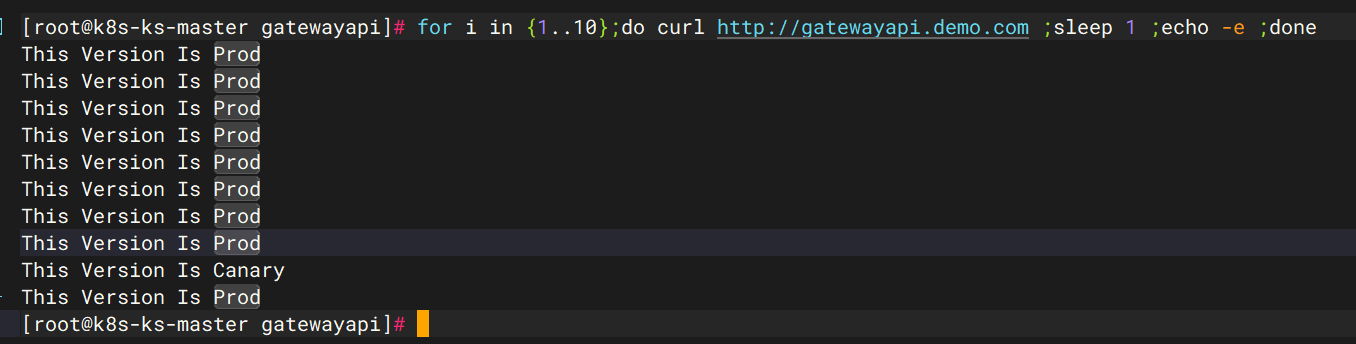
for i in {1..10};do curl http://gatewayapi.demo.com ;sleep 1 ;echo -e ;done
最后流量负载均衡符合预期,可以逐渐修改weight的值来提高canary的比例,最后将实际的prod下线,让canary成为新的生产环境
7.2、基于header实现金丝雀发布
cat > httproute_header.yaml << EOF
apiVersion: gateway.networking.k8s.io/v1
kind: HTTPRoute
metadata:
  name: http-route
  namespace: ngf-gateway-demo         #指定Gateway所在的命名空间
spec:
  parentRefs:
    - name: nginx-gateway
      sectionName: http
  hostnames:
    - "gatewayapi.demo.com"           #指定host
  rules:
    - matches:
      - headers:
        - name: x-canary              #定义header
          value: "true"
        path:                         #注意这里的path和headers同级
          type: PathPrefix
          value: /
      backendRefs:
        - name: dev-demo-canary       #写入后端service
          kind: Service
          port: 8080
    - matches:
      - path:
          type: PathPrefix
          value: /
      backendRefs:
        - name: dev-demo-prod         #写入后端service
          kind: Service
          port: 8080
EOF
7.2.1 基于header演示
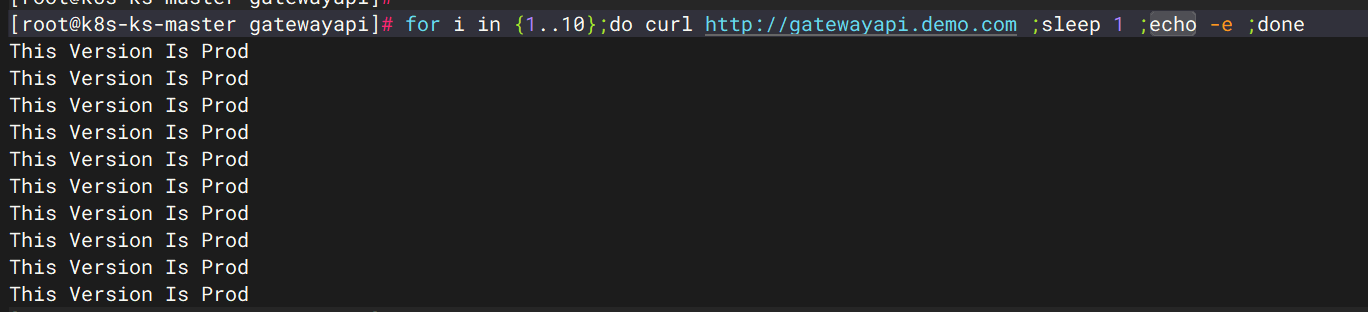
不带header
for i in {1..10};do curl http://gatewayapi.demo.com ;sleep 1 ;echo -e ;done
带有header
for i in {1..10};do curl -H "x-canary: true" http://gatewayapi.demo.com ;sleep 1 ;echo -e ;done



评论区