

1、前言
CentOS 7 在 2024 年 6 月 30 日已经正式结束了生命周期(EOL),这意味着它不再有官方的安全更新和技术支持了。 为了服务器的稳定和安全,可以考虑升级迁移。
Rocky Linux 作为一个由社区驱动、与 RHEL (Red Hat Enterprise Linux) 完全兼容的企业级操作系统,无疑是一个非常棒的替代选择。
2、升级思路
2.1 升级流程
前提:拥有root或sudo权限
第一步:从 CentOS 7 迁移到 Rocky Linux 8。
第二步:从 Rocky Linux 8 升级到 Rocky Linux 9。
2.2 升级工具
ELevate工具。基于红帽的
leapp框架,能帮助我们实现平滑的原地升级,省去了重装系统和逐一配置应用的麻烦。
3、操作步骤
3.1 备份数据
1、数据备份是唯一的后悔药,可压缩打包备份,如常用的/data,/etc/nginx等
2、若在虚拟机环境,可以打一个回滚快照
3.4 centos7.9升级到rockylinux8
3.4.1 系统更新前准备
#更新程序、依赖可以避免更多麻烦
yum update -y
reboot
3.4.2 安装ELevate和Leapp
#安装ELevate的源
yum install -y http://repo.almalinux.org/elevate/elevate-release-latest-el$(rpm --eval %rhel).noarch.rpm

#安装leapp和用于迁移到Rocky Linux 的数据包
yum install -y leapp-upgrade leapp-data-rocky
3.4.3 升级
#预检查
leapp preupgrade
稍等片刻后,会出现升级报告,当Errors:0才是正常,若有报错,直接查看 /var/log/leapp/leapp-report.txt和/var/log/leapp/answerfile并对症下药即可
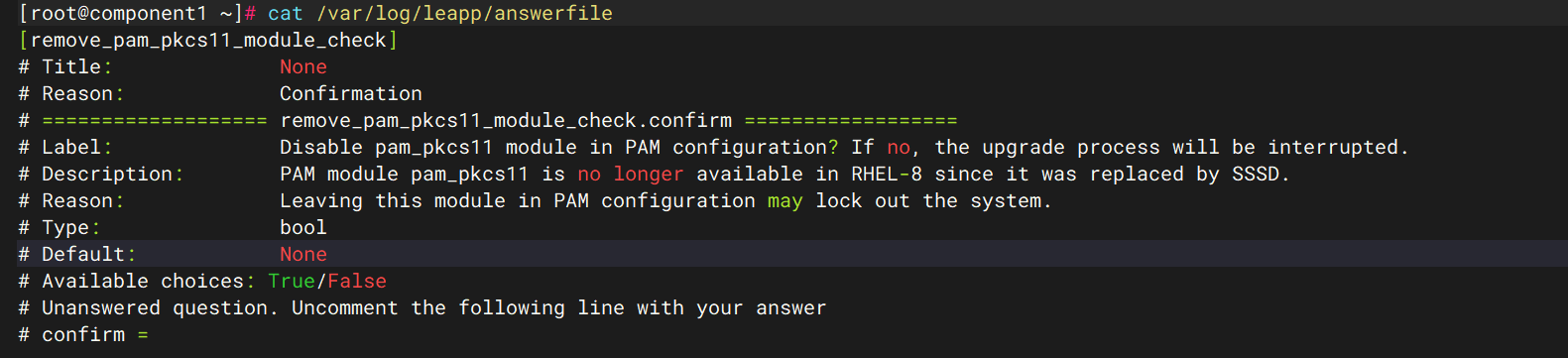
#将confirm=True
leapp answer --section remove_pam_pkcs11_module_check.confirm=True
#修复内核模块冲突
rmmod pata_acpi
#再次升级
leapp upgrade
经过上述修复,已经正常下载rockylinux8
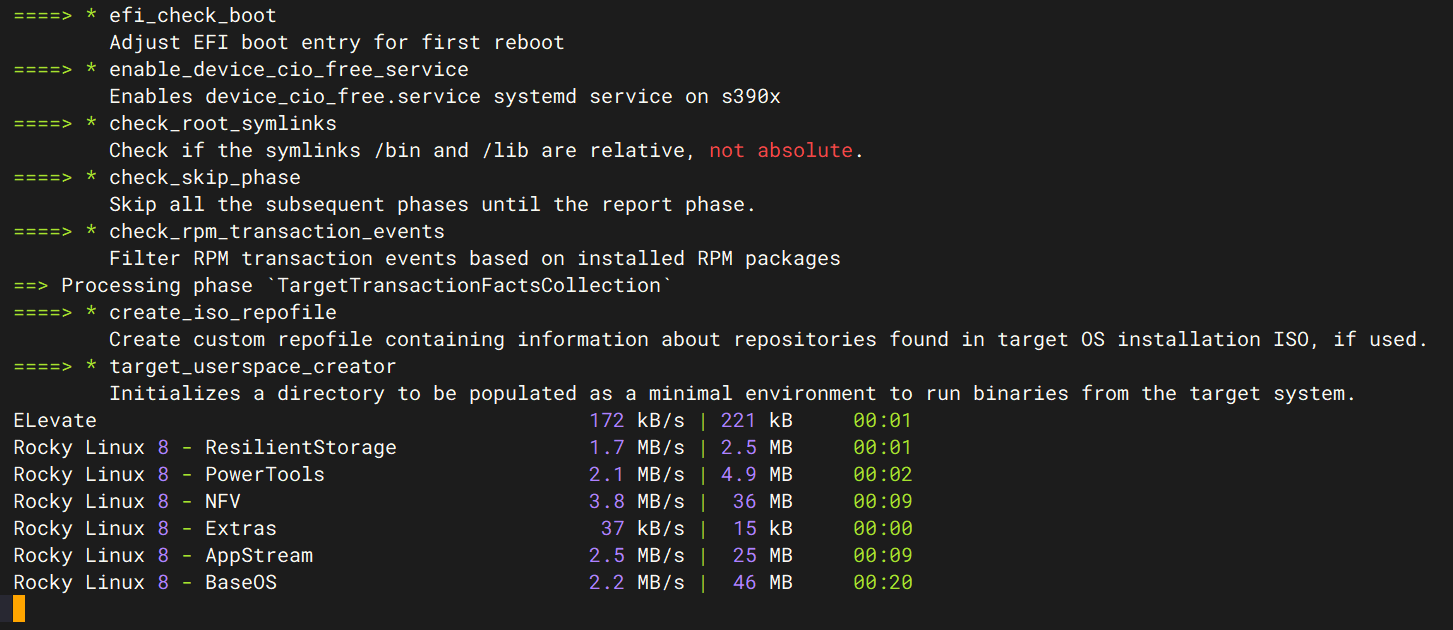
出现以下这些关键字眼,证明已经升级成功,reboot重启即可
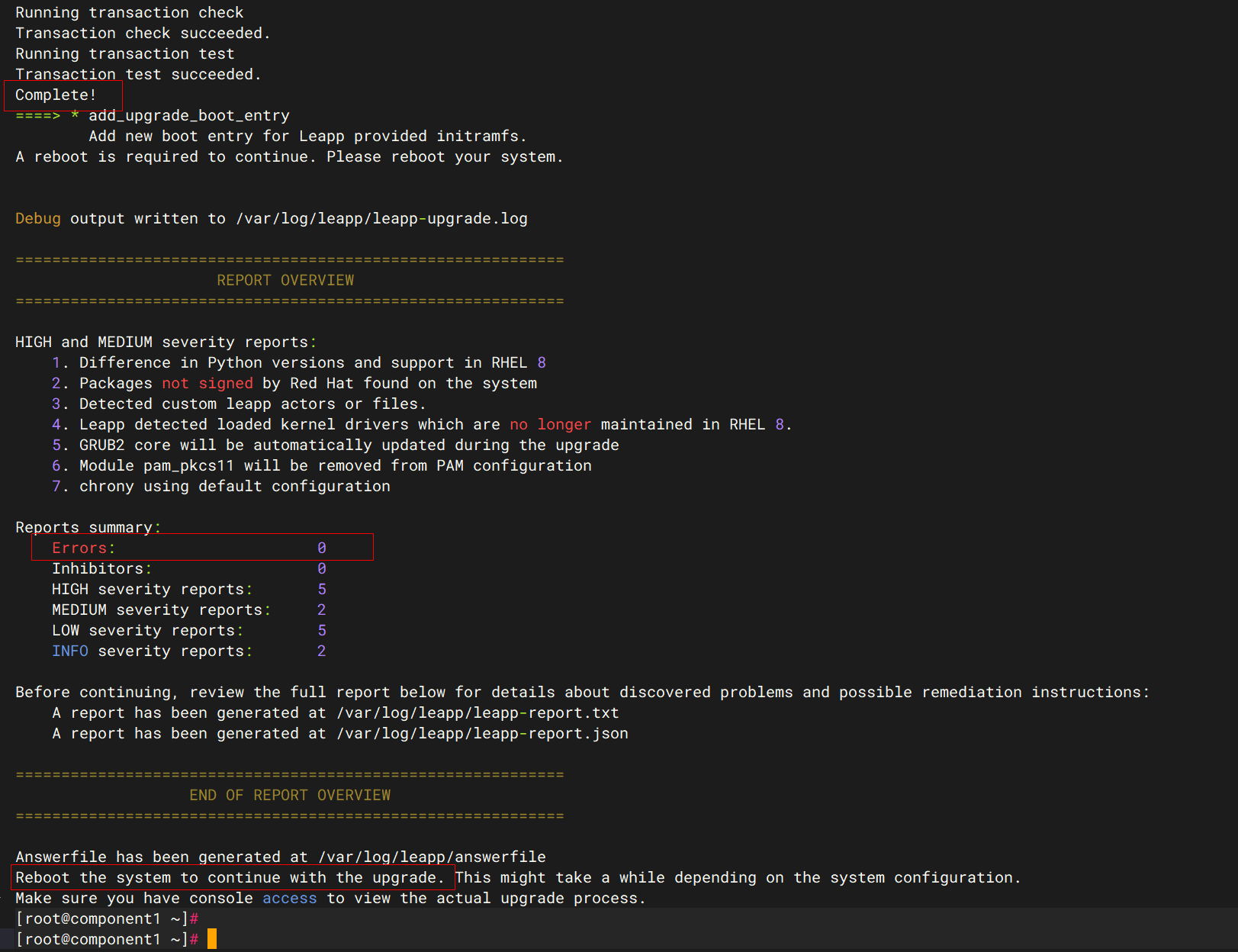
#重启
reboot
3.4.4 验证rockylinux8
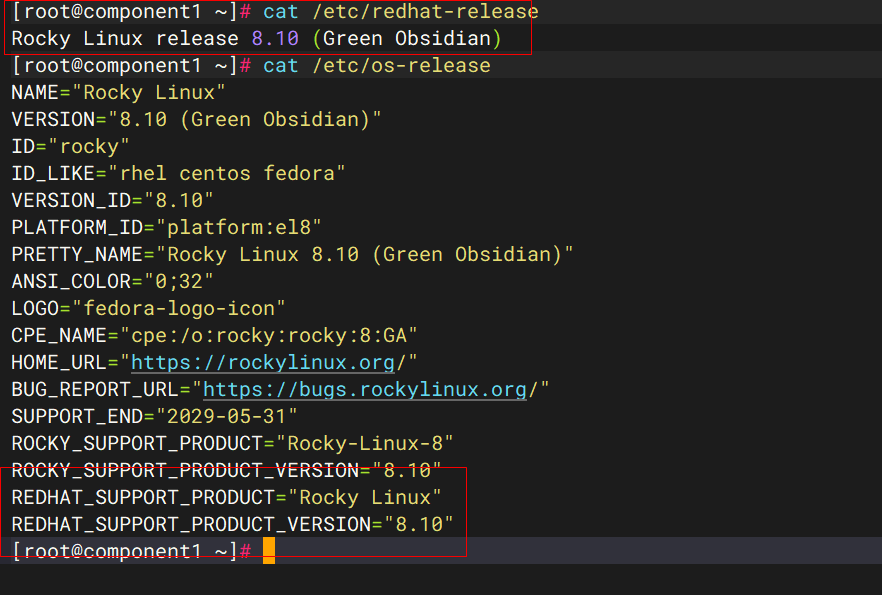
大概需要等待十分钟升级各项组件和依赖,重新开机后,验证版本
cat /etc/redhat-release或cat /etc/os-release

#结论本次centos7.9升级rockylinux8成功
3.5 rockylinux8升级到rockylinux9
3.5.1 更新系统准备
#从 RHEL 8 系列开始,包管理器从yum变成了dnf,底层还是yum,但dnf会更加好用
dnf update -y
reboot
如果提示不需要处理,就可以进行下一步

3.5.2 安装新的ELevate和Leapp
dnf install -y http://repo.almalinux.org/elevate/elevate-release-latest-el$(rpm --eval %rhel).noarch.rpm

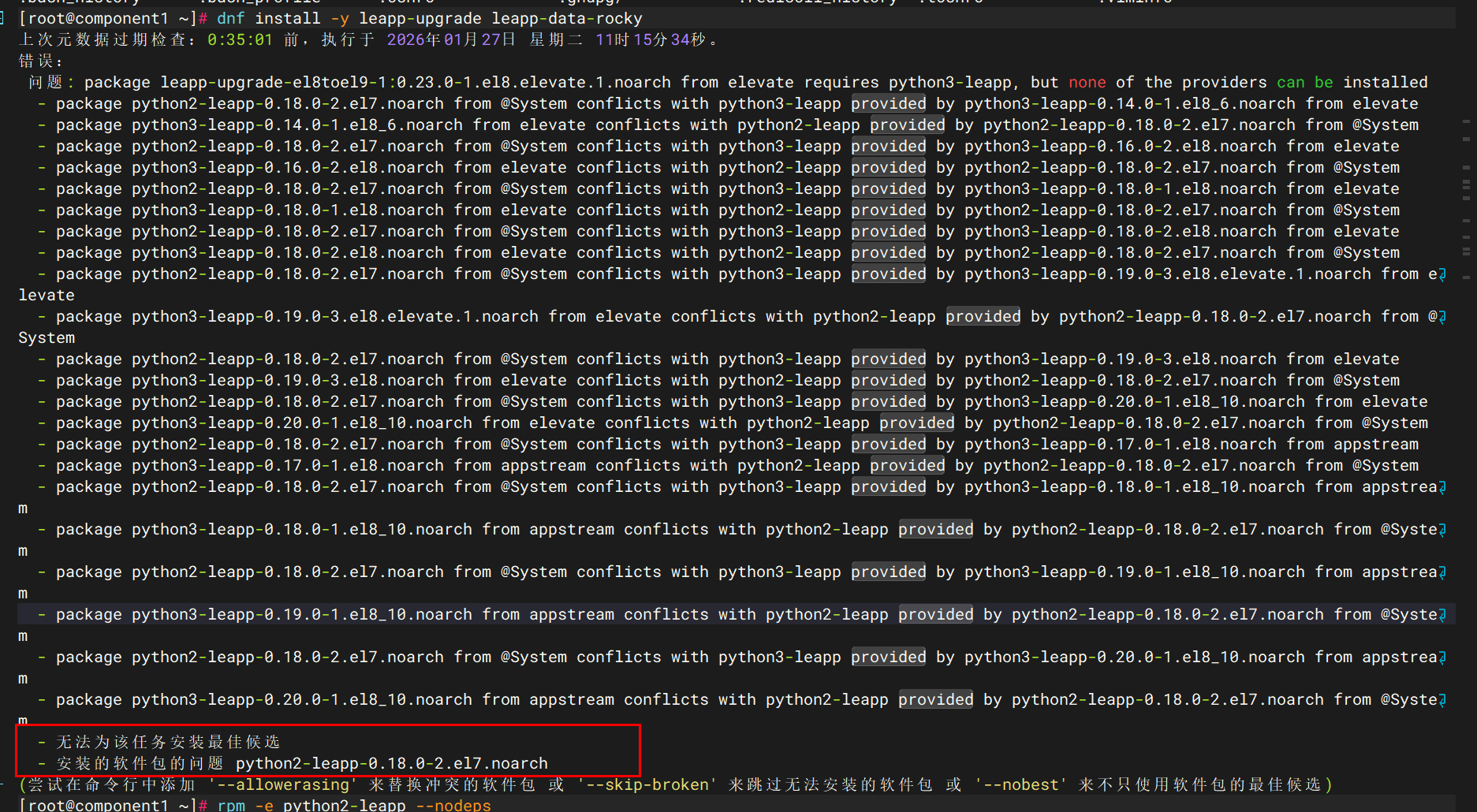
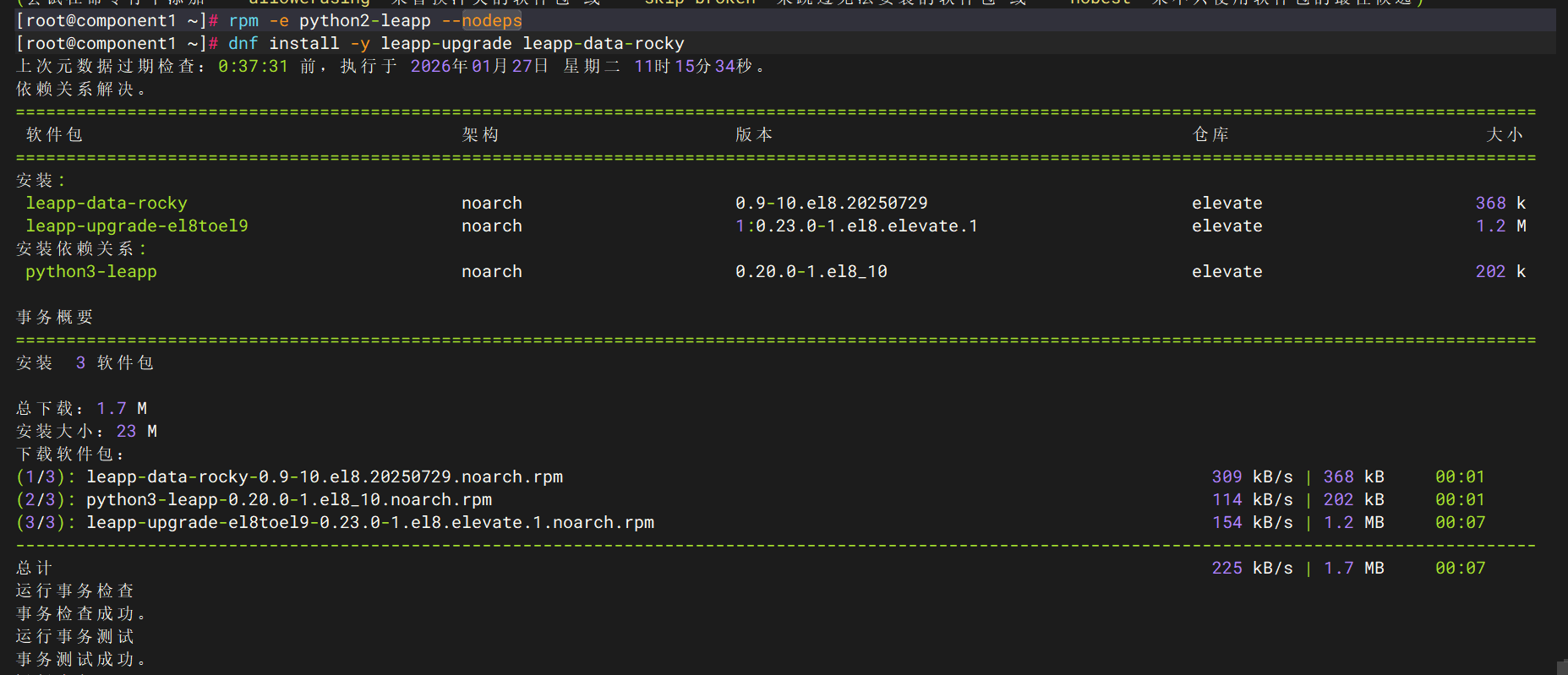
#安装过程中若出现此报错,需要卸载旧版的leapp组件,再继续重新安装
rpm -e python2-leapp --nodeps
rpm -e leapp --nodeps
rpm -e rocky-logos-86.3-1.el8.x86_64 --nodeps
rpm -e leapp-upgrade-el7toel8 --nodeps
dnf clean all
#以下需要逐步安装
dnf install -y leapp-data-rocky
dnf install -y leapp-upgrade
dnf install -y leapp-upgrade-el8toel9-fapolicyd
3.5.3 升级
#预升级检查
leapp preupgrade
cat /var/log/leapp/answerfile
没有报错,但查看answerfile报了没有vdo
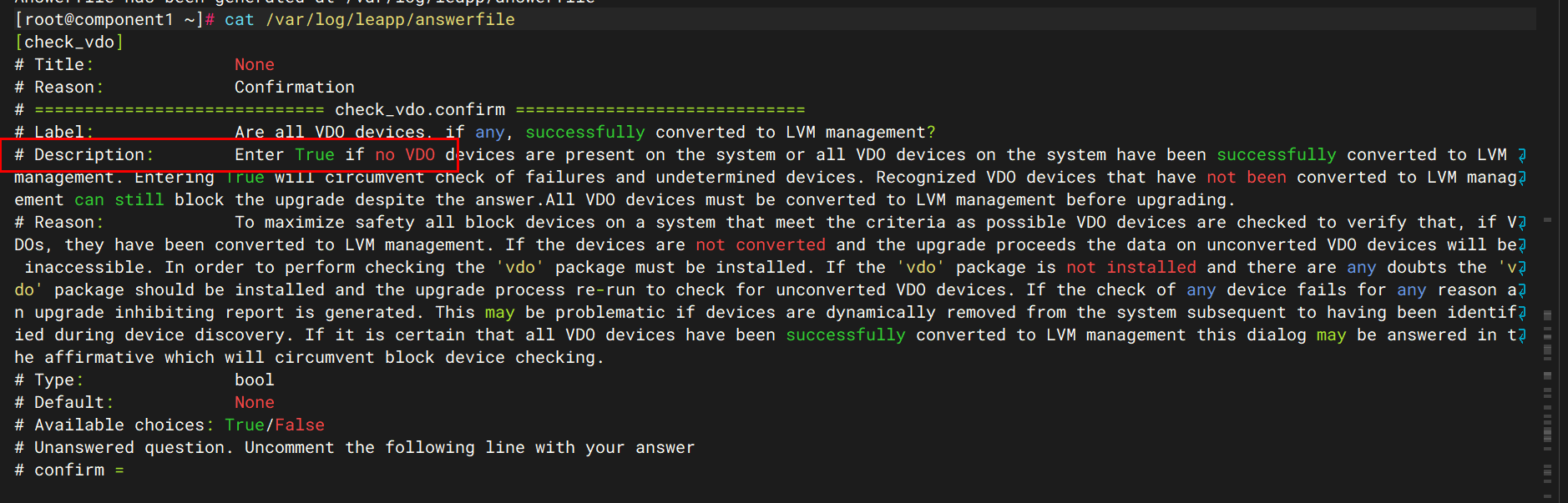
dnf install -y vdo

leapp preupgrade
目前还是存在问题,cat /var/log/leapp/leapp-report.txt
cat /var/log/leapp/leapp-report.txt

Risk Factor: high (inhibitor)
Title: Possible problems with remote login using root account
Summary: OpenSSH configuration file will get updated to RHEL9 version, no longer allowing root login with password. It is a good practice to use non-root administrative user and non-password authentications, but if you rely on the remote root login, this change can lock you out of this system.
Related links:
    - Why Leapp Preupgrade for RHEL 8 to 9 getting "Possible problems with remote login using root account" ?: https://access.redhat.com/solutions/7003083
Remediation: [hint] If you depend on remote root logins using passwords, consider setting up a different user for remote administration or adding a comment into the sshd_config next to the "PermitRootLogin yes" directive to prevent rpm replacing it during the upgrade.
Key: 3d21e8cc9e1c09dc60429de7716165787e99515f
----------------------------------------
Risk Factor: high
Title: Detected custom leapp actors or files.
Summary: We have detected installed custom actors or files on the system. These can be provided e.g. by third party vendors, Red Hat consultants, or can be created by users to customize the upgrade (e.g. to migrate custom applications). This is allowed and appreciated. However Red Hat is not responsible for any issues caused by these custom leapp actors. Note that upgrade tooling is under agile development which could require more frequent update of custom actors.
The list of custom leapp actors and files:
    - /usr/share/leapp-repository/repositories/system_upgrade/common/files/distro/rocky/rpm-gpg/9/RPM-GPG-KEY-Rocky-9
    - /usr/share/leapp-repository/repositories/system_upgrade/common/files/rpm-gpg/9/RPM-GPG-KEY-Rocky-9
Related links:
    - Customizing your Red Hat Enterprise Linux in-place upgrade: https://red.ht/customize-rhel-upgrade
Remediation: [hint] In case of any issues connected to custom or third party actors, contact vendor of such actors. Also we suggest to ensure the installed custom leapp actors are up to date, compatible with the installed packages.
Key: 2064870018370ce2bde3f977cf753ed8c59848d0
----------------------------------------
Risk Factor: high
Title: Detected modified files of the in-place upgrade tooling.
Summary: We have detected that some files of the tooling processing the in-place upgrade have been modified. Note that such modifications can be allowed only after consultation with Red Hat - e.g. when support suggests the change to resolve discovered problem. If these changes have not been approved by Red Hat, the in-place upgrade is unsupported.
Following files have been modified:
    - /var/log/leapp
Remediation: [hint] To restore original files reinstall related packages.
Key: 5532a4fe27dc0b05de1e9e77bda407ea47ad6971
----------------------------------------
Risk Factor: high
Title: Packages not signed by Red Hat found on the system
Summary: The following packages have not been signed by Red Hat and may be removed during the upgrade process in case Red Hat-signed packages to be removed during the upgrade depend on them:
- containerd.io
- docker-buildx-plugin
- docker-ce
- docker-ce-cli
- docker-ce-rootless-extras
- docker-compose-plugin
- kernel
- kernel-workaround
- leapp-deps-el8
- leapp-repository-deps-el8
Related links:
    - Handling the migration of your custom and third-party applications: https://red.ht/customize-rhel-upgrade-actors
Remediation: [hint] The most simple solution that does not require additional knowledge about the upgrade process is the uninstallation of such packages before the upgrade and installing these (or their newer versions compatible with the target system) back after the upgrade. Also you can just try to upgrade the system on a testing machine (or after the full system backup) to see the result.
However, it is common use case to migrate or upgrade installed third party packages together with the system during the in-place upgrade process. To examine how to customize the process to deal with such packages, follow the documentation in the attached link for more details.
Key: 13f0791ae5f19f50e7d0d606fb6501f91b1efb2c
----------------------------------------
Risk Factor: high
Title: Leapp detected loaded kernel drivers which are no longer maintained in RHEL 9.
Summary: The following RHEL 8 device drivers are no longer maintained RHEL 9:
     - mptscsih
     - mptbase
     - e1000
     - mptspi
     - mptspi
     - e1000

Key: b03c306f274b33b4cf3c7cd3764366c599681481
----------------------------------------
Risk Factor: high
Title: Remote root logins globally allowed using password
Summary: RHEL9 no longer allows remote root logins, but the server configuration explicitly overrides this default. The configuration file will not be updated and root is still going to be allowed to login with password. This is not recommended and considered as a security risk.
Remediation: [hint] If you depend on remote root logins using passwords, consider setting up a different user for remote administration. Otherwise you can ignore this message.
Key: e738f78bc8f3a84411a4210e3b609057139d1855
----------------------------------------
Risk Factor: high
Title: GRUB2 core will be automatically updated during the upgrade
Summary: On legacy (BIOS) systems, GRUB2 core (located in the gap between the MBR and the first partition) cannot be updated during the rpm transaction and Leapp has to initiate the update running "grub2-install" after the transaction. No action is needed before the upgrade. After the upgrade, it is recommended to check the GRUB configuration.
Key: ac7030e05d2ee248d34f08a9fa040b352bc410a3
----------------------------------------
Risk Factor: low
Title: Some enabled RPM repositories are unknown to Leapp
Summary: The following repositories with Red Hat-signed packages are unknown to Leapp:
- elevate
- appstream
- baseos
And the following packages installed from those repositories may not be upgraded:
- leapp-upgrade-el8toel9-fapolicyd
- python3-leapp
- vdo
- kmod-kvdo
- lmdb-libs
- leapp-data-rocky
- fapolicyd-selinux
- leapp
- rpm-plugin-fapolicyd
- leapp-upgrade-el8toel9
- fapolicyd
Remediation: [hint] You can file a request to add this repository to the scope of in-place upgrades by filing a support ticket
Key: 8e89e20c645cea600b240156071d81c64daab7ad
----------------------------------------
Risk Factor: info
Title: SElinux relabeling will be scheduled
Summary: SElinux relabeling will be scheduled as the status is permissive/enforcing.
Key: 8fb81863f8413bd617c2a55b69b8e10ff03d7c72
----------------------------------------
第一优先级:解决所有 Inhibitors(阻止器)
vim /etc/ssh/sshd_config

#找到 PermitRootLogin 相关配置,并确保存在以下两行(注意:需要同时设置,既允许又禁止密码登录,看起来矛盾,但这是为了覆盖 RHEL9 的默认设置,不用重启ssh

PermitRootLogin yes
PermitRootLogin prohibit-password
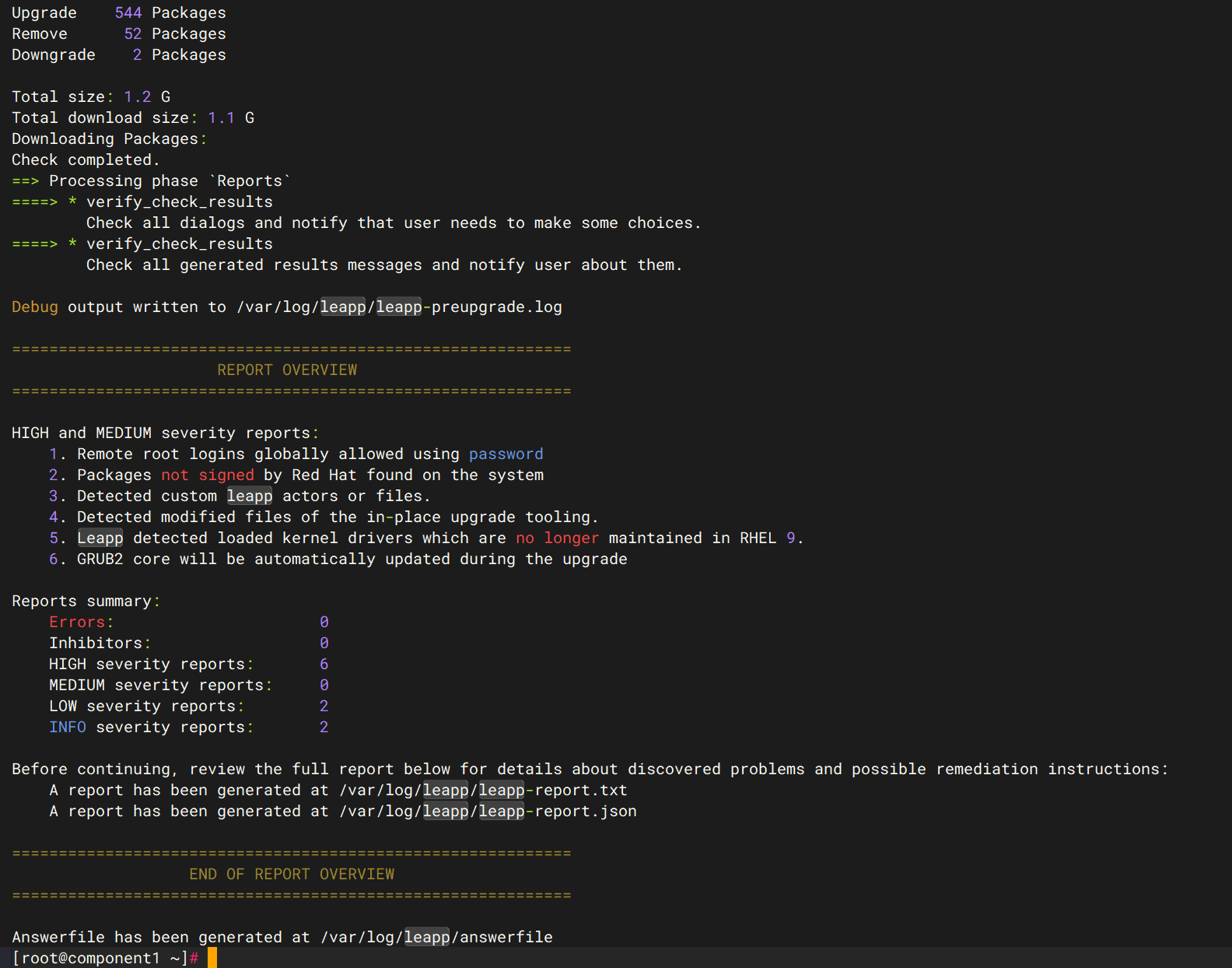
继续预检查应该是正常的了
leapp preupgrade
最后实操升级
leapp upgrade

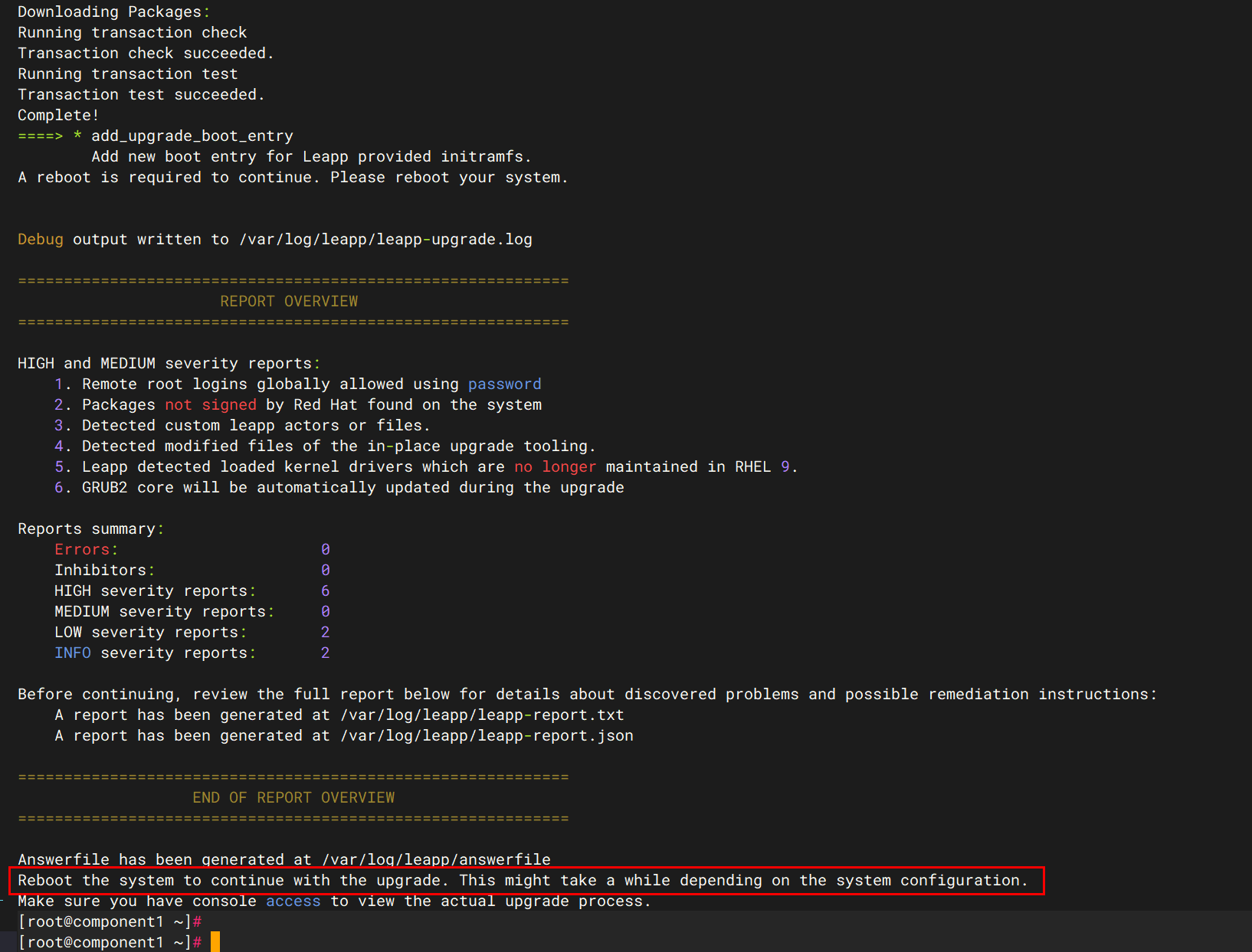
#出现reboot字样,证明升级成功
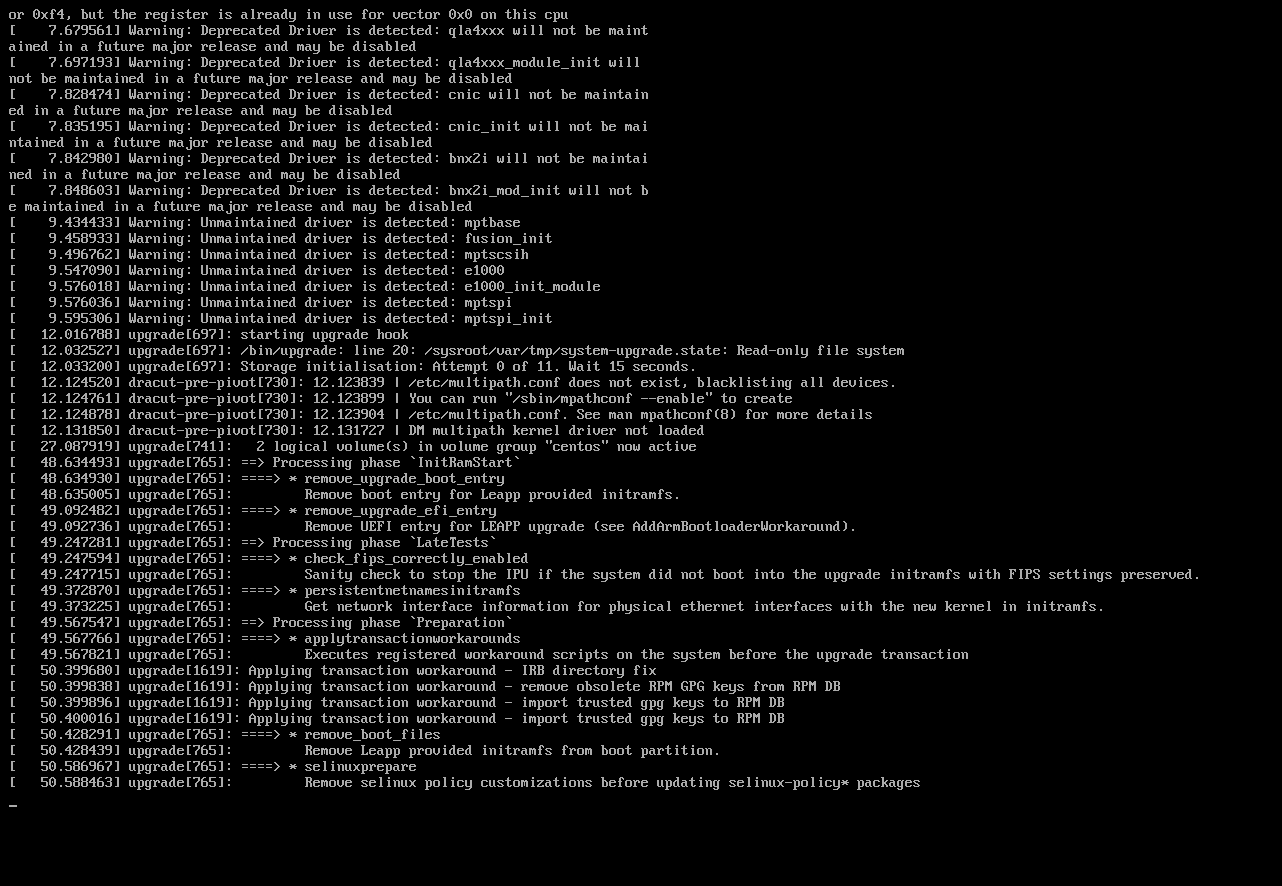
reboot
3.5.4 验证rockylinux9
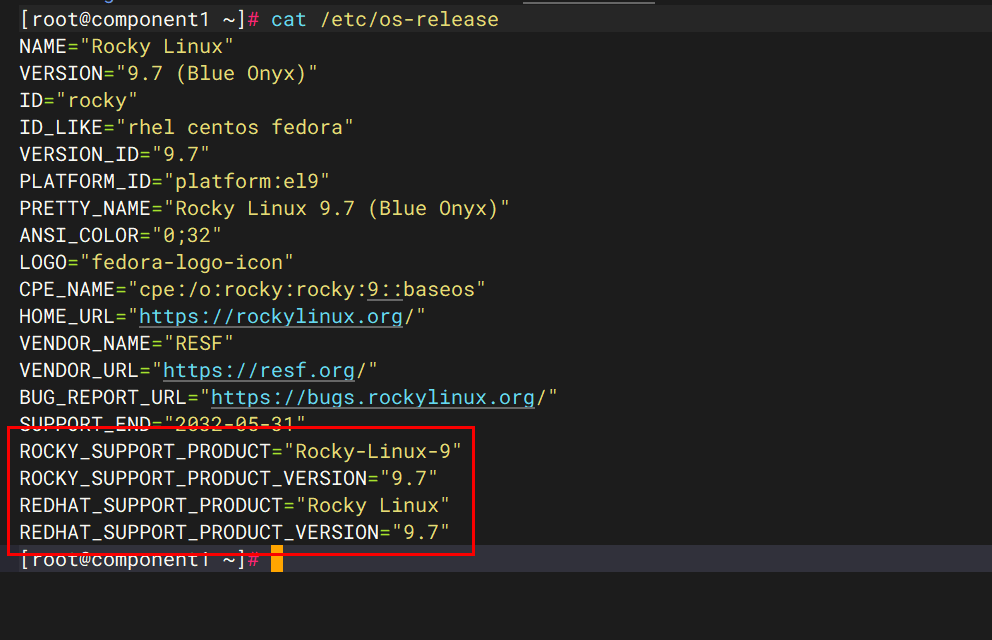
cat /etc/os-release
4、总结
centos7升级迁移到rockylinux9虽然不能一步升级,但是按步骤备份、排查、耐心等待,结果也将会是顺利的。


评论区